Free watermark templates (transparent SVG)
These are simple vector marks with transparent backgrounds. Use them in PowerPoint, InDesign, or any editor that places an image. For an actual PDF, the on-site tool is sharper because it draws real text instead of embedding a picture.
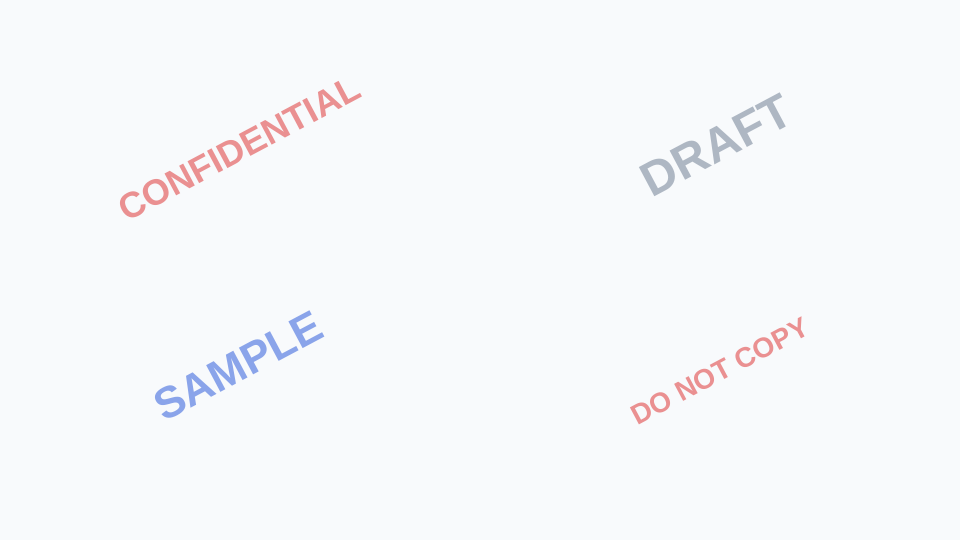
What is in the pack
Four phrases: CONFIDENTIAL (red), DRAFT (gray), SAMPLE (blue), DO NOT COPY (red, tiled-friendly). Each file is SVG. Scale freely; they will not pixelate. If you need PNG, open the SVG in a browser and export, or use any SVG-to-PNG converter locally.
How to use them on a PDF
Prefer the watermark editor: it will not flatten your pages. If you must place a PNG (Acrobat image watermark), import the SVG-exported PNG, set opacity in Acrobat, and apply to all pages behind content.
License
You may use these marks on your own documents without attribution. Do not resell the pack as a standalone product.
Downloads




FAQ
Why SVG instead of PNG?
SVG stays sharp at any size and stays transparent. PNG is easy to generate from SVG when a tool refuses vectors.
Can I change the word?
Yes. The SVG is just text. Edit in Figma, Illustrator, or a text editor. Or skip the file and type custom text in the PDF tool.
Download a mark for slides and print. For PDFs, stamp vector text with the editor so the file stays searchable.
Stamp a PDF insteadRelated pages
Confidential watermark examples
Confidential PDF watermark examples: wording, color, tiling, and mistakes that make the mark useless. Then add CONFIDENTIAL in your browser, no upload.
Add a confidential watermark to a PDF
Add a CONFIDENTIAL watermark to a PDF online. Free, no account, no upload. Red diagonal text on every page. Built for contracts and internal files.
Add a draft watermark to a PDF
Add a DRAFT watermark to a PDF online. Free, no account, no file upload. Marks every page so reviewers do not treat an unfinished file as final.
Add a “do not copy” watermark to a PDF
Add a DO NOT COPY watermark to a PDF online. Free, no account, no upload. Tiled text on every page as a visual deterrent for review copies you share.
Add a sample watermark to a PDF
Add a SAMPLE watermark to a PDF online. Free, no account, no file upload. Label client previews, exam copies, and portfolio pages on every page.
Best font for a confidential or draft watermark
Best font for a PDF watermark: bold sans-serif. Why Helvetica and Arial stay clear at low opacity, and which fonts fail on scans and cheap prints.
Learn how document watermarks work
Learn how PDF watermarks work: confidential versus draft, font choices, free SVG templates, and why a draft mark disappears in Word. Then try it free.
Free PDF watermark tool
Free PDF watermark tool. No account, no page cap, no file upload. Add text watermarks in your browser. Files never leave your device. Download instantly.